The operating system for your legal practice
Run the whole firm in one system: KYC and intake, leads and clients, matters and hearings, tasks and calendar, documents, timesheets, invoicing and a full financial ledger, plus HR, email, chat and reminders. Shaped to how your firm works, with permissions on every part of it.
eFirm is law firm management software: matter management, time tracking, billing, document automation and legal CRM with a built-in Legal AI Engine.
Can HAQQ replace Clio or other practice management software?

The operating system for your legal practice
Run the whole firm in one system: KYC and intake, leads and clients, matters and hearings, tasks and calendar, documents, timesheets, invoicing and a full financial ledger, plus HR, email, chat and reminders. Shaped to how your firm works, with permissions on every part of it.
Built on trust.
Secure by design.
GDPR
You handle cross-border matters. We handle cross-border compliance. GDPR. PDPL. Covered.
ISO 42001
You audit your AI vendors. HAQQ is compliant with ISO 42001 (not certified).
ISO 27001
Your IT department will ask about ISO 27001. HAQQ is compliant with it (not certified).
SOC 2
SOC 2. HAQQ is compliant with the Trust Services Criteria (not certified), so your compliance officer can sleep at night.
Encrypted: In transit and at rest99.9% uptime: Operated, never paused
One platform for every legal matter
HAQQ eFirm is the operating system for a law firm. One platform for client intake and KYC, CRM, matters, hearings, tasks and calendar, documents, timesheets, invoicing and the full financial ledger, with HR and firm administration alongside them. It replaces the spreadsheets, plugins and disconnected tools most firms stitch together, so every case, deadline and invoice lives in one auditable system.
LAW FIRM LLP
HEADQUARTERS
What decides adoption
Two things decide whether a firm actually runs on it.
Practice management fails for the same two reasons every time. It does not match how the firm works, and it shows the wrong people the wrong file.
Personalised to your firm, not to a template
Matter types, stages, fields, intake forms, invoice and receipt layouts, the chart of accounts, reports and workflows are all defined per organisation. A litigation boutique and an in-house team run the same engine and see two different systems. A government procedure asks for no court; an arbitration asks for the tribunal, not a judge.
Roles and permissions on every record
Read, add, update and delete are set separately for each feature. Every right is scoped to everyone, no one, only the records assigned to that user, or inherited from the parent record. Partners see the firm, associates see their matters, finance sees the ledger, and every action is logged with a name against it.
Configuration is a real step, not a checkbox. Onboarding runs it with you, before you migrate a single file. Full configuration steps are in the documentation.
How the work moves
One record, from intake to invoice.
Most firms research in one tool, keep matters in another, record time in a spreadsheet and bill somewhere else. Every handoff is a chance to lose the thread. In eFirm each step writes to the same record, so the last one already knows what the first one did.
- 1
The contact, with the part it plays
Client, opponent, opposing counsel and the bench all sit in one directory, each labelled with its role. That label is what every later filter and conflict check runs on.
Learn more - 2
The matter, shaped to its type
A matter carries only the fields its type needs. A government procedure asks for no court. An arbitration asks for the tribunal, not a judge. Fewer empty fields means a file the firm can actually trust.
Learn more - 3
The time, recorded against the matter
Timer, manual entry or a start-and-end range. Each entry belongs to a matter and a fee earner, priced at the rate on their profile, and visible only to whoever your permissions say should see it.
Learn more - 4
The invoice, built from the work
Pull unbilled entries straight onto the invoice for that client and matter. Costs post against their paired expense account, so the ledger balances without anyone opening a journal entry.
Learn more
Nothing is re-keyed between steps, and nothing disappears behind you: posted entries are archived rather than deleted, so the audit trail survives the year.
Everything in one place
eFirm is legal practice management software that covers a firm end to end: intake and KYC, leads and clients, matters and hearings, tasks and deadlines, documents, timesheets, invoicing and the accounts underneath them. One system instead of six.
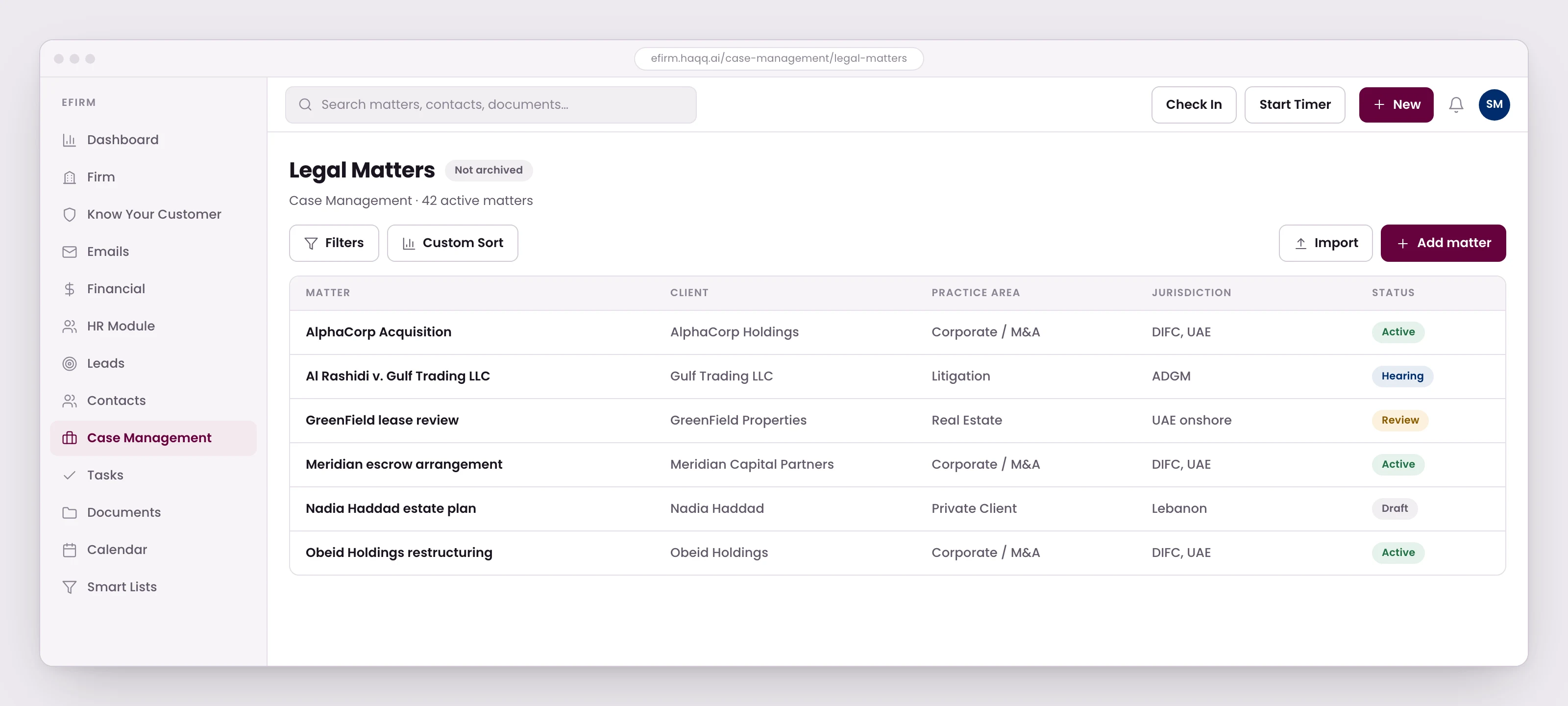
Client & Matter Management
Clients, contacts, entities and opposing parties live in one record with one owner and no duplication. Matter types, stages, fields and metadata are yours to define, so a matter carries only what its type actually needs. Every file is structured the way your firm works rather than the way the software assumed.
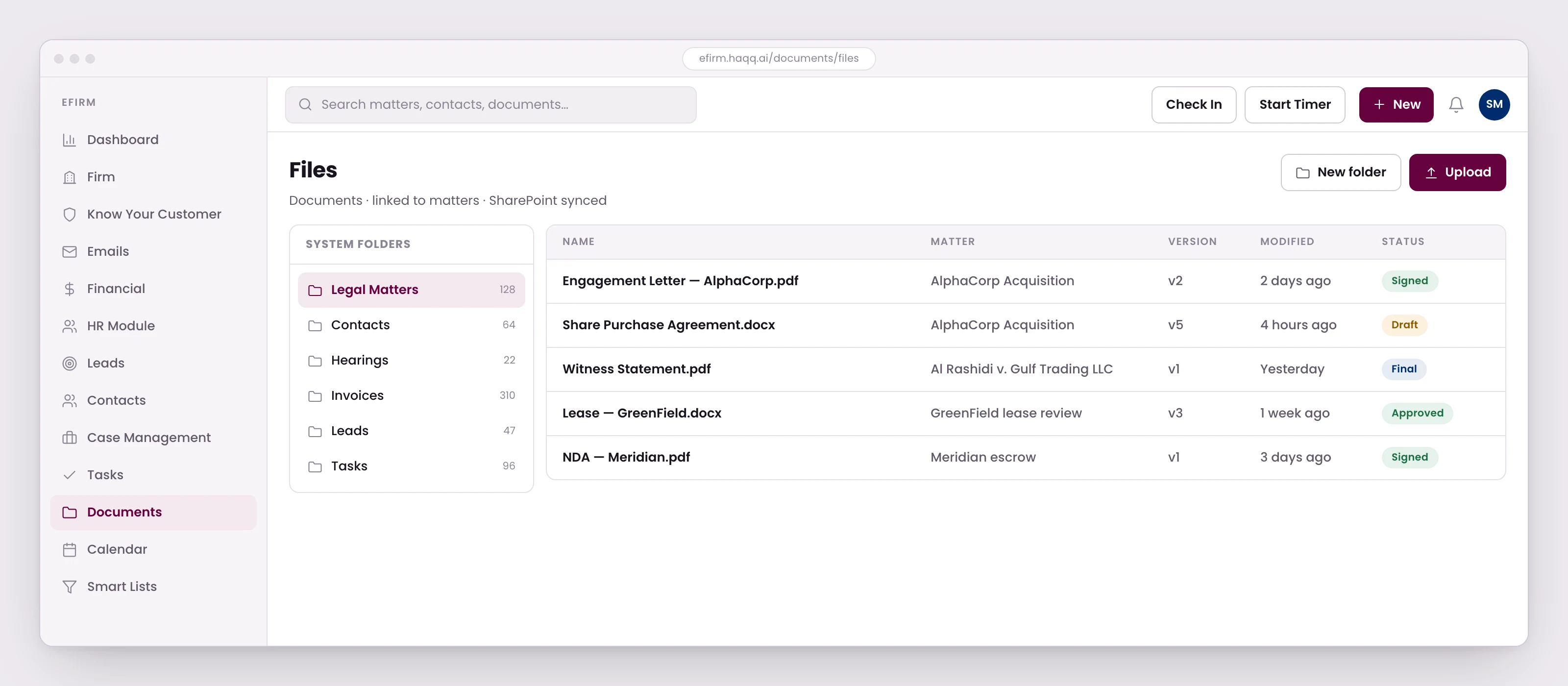
Documents & Files
Documents belong to matters, tied directly to clients with Microsoft SharePoint integration. Every file is versioned, traceable, and auditable, structured the way lawyers expect. No loose PDFs, no mystery folders.
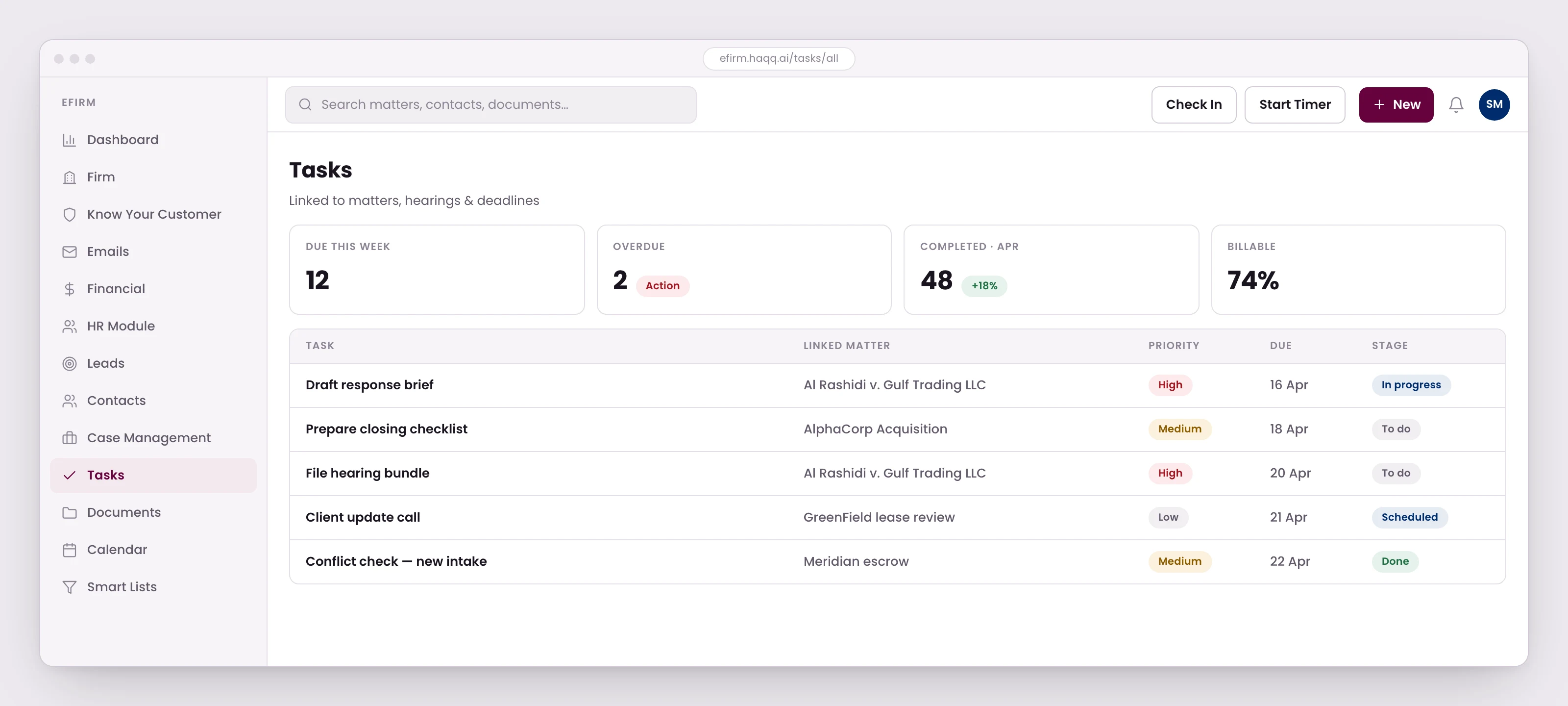
Tasks, Deadlines & Hearings
Work doesn't live in calendars, it lives in cases. Tasks are linked to real matters with deadlines that don't disappear. Hearings are tracked as part of the legal file, alongside court reviews and service logs, with filters by client, matter, user, or date.
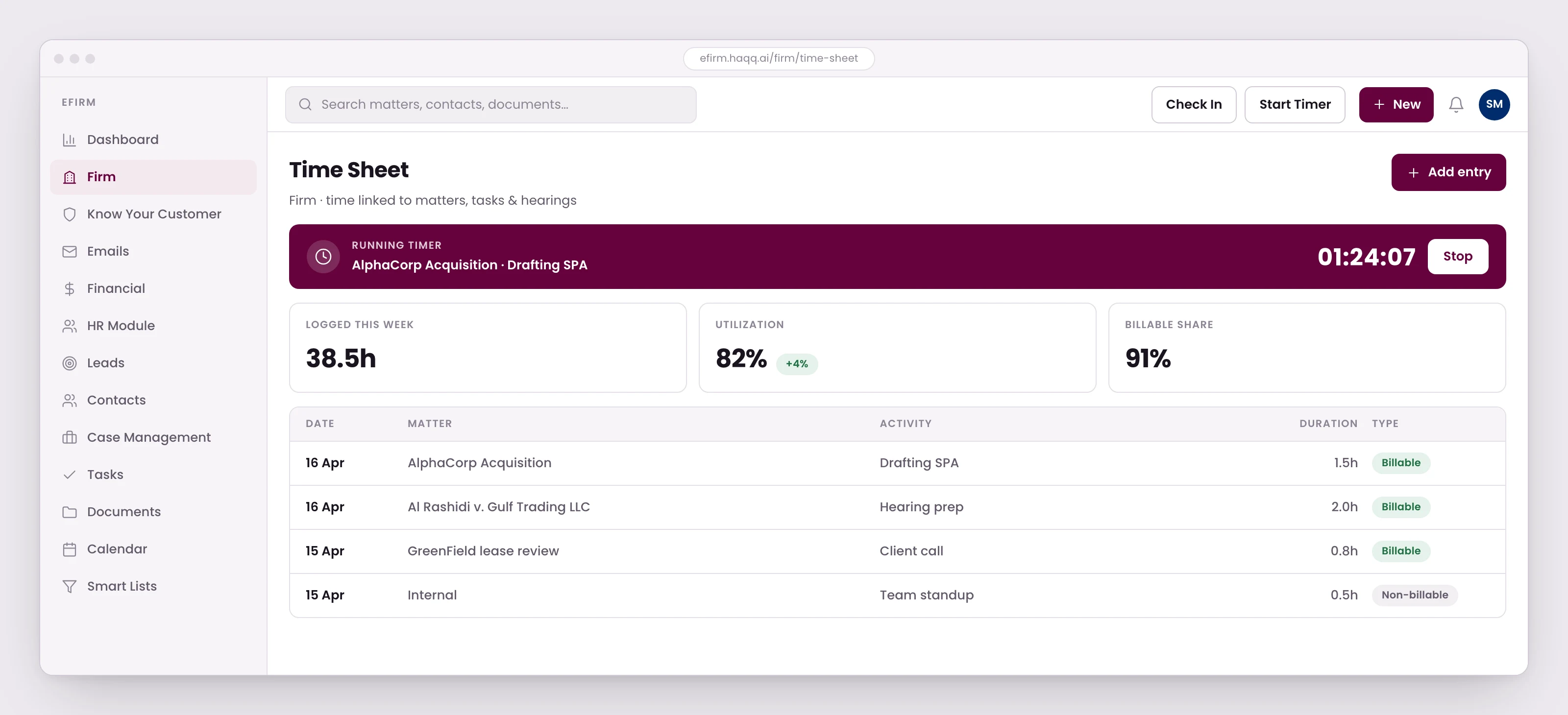
Time Tracking
Built for lawyers who hate time tracking yet accurate enough for partners who audit it. Time is linked to matters, tasks, documents, and hearings via manual, range-based, or live timer. Automatically feeds billing and reporting with no reconstruction or guesswork.
Billing, Invoicing & Financials
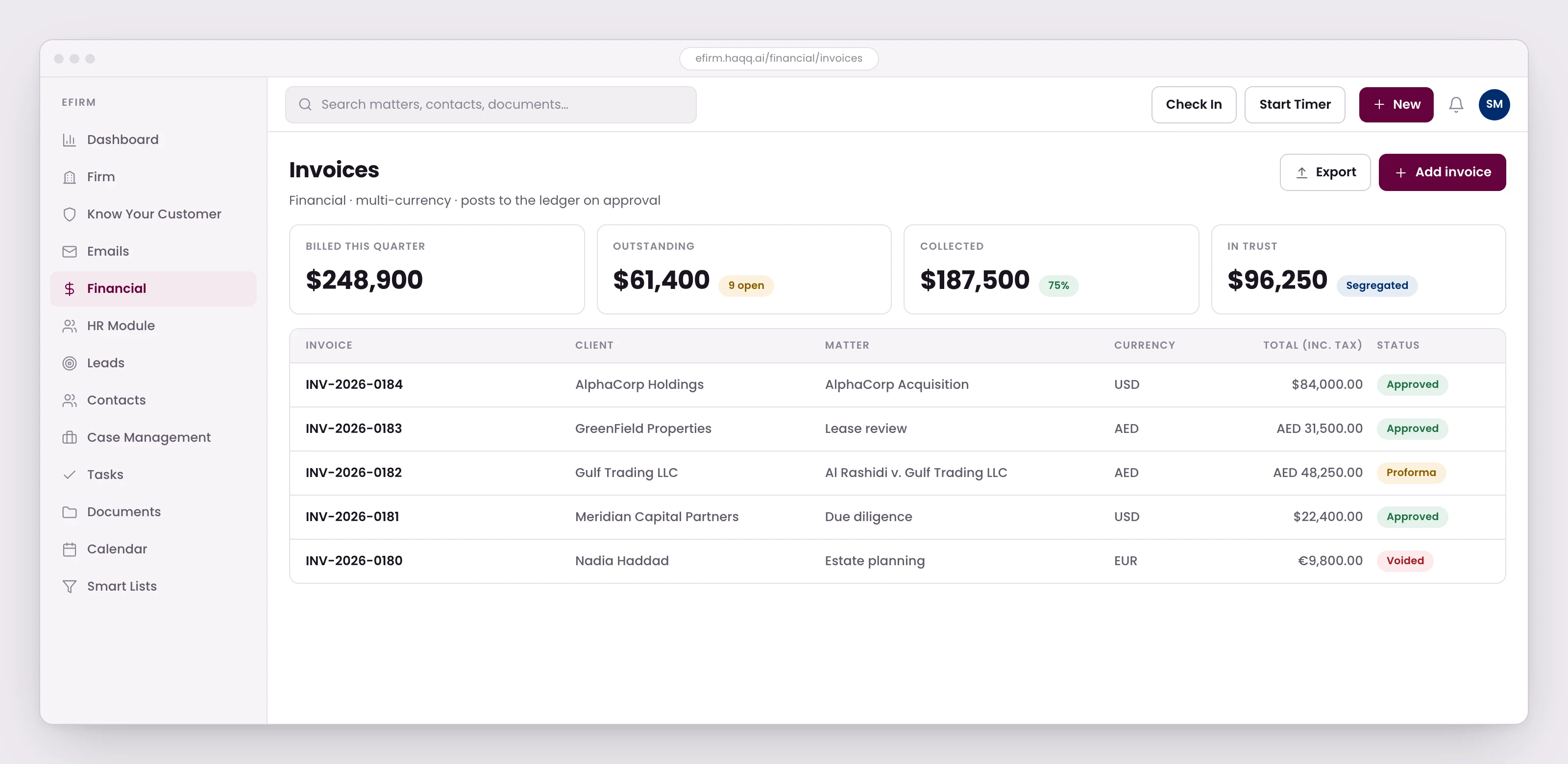
Billing that reflects how firms actually charge, with drag-and-drop invoice and receipt templates and multiple fee structures. Underneath sits real accounting: a chart of accounts, journal entries, client trust accounts and a balance sheet, all multi-currency. Expenses, retainers, payments and balances stay visible at matter level.
CRM, Intake & Compliance
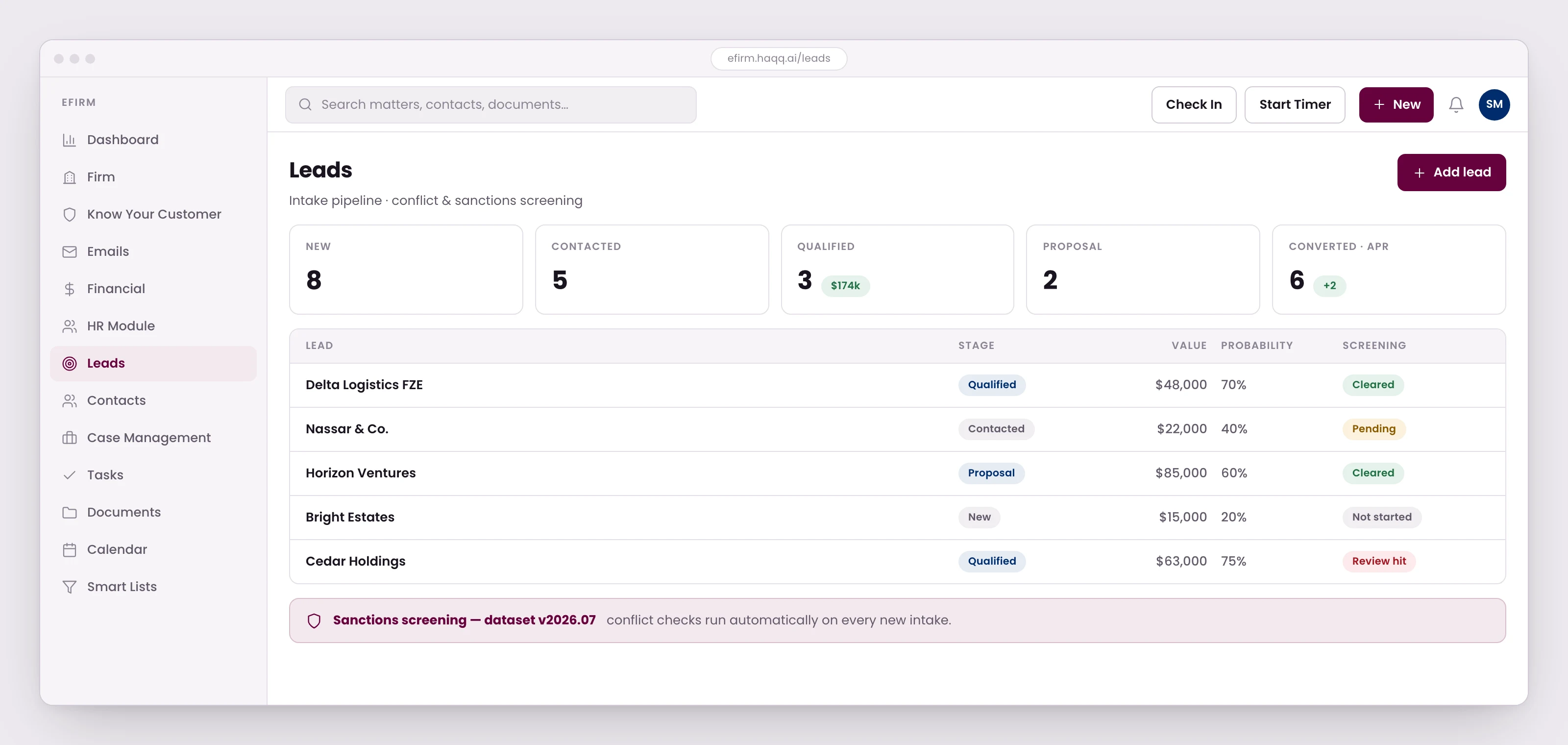
From lead to signed client without breaking flow. Flexible CRM models pair with real intake workflows, built-in conflict checks, and sanctions screening that records which dataset version each contact was screened against, when they are next due, and whether a hit is a true match. Compliance is embedded from day one, not patched on later.
Email, Calendar & Communication
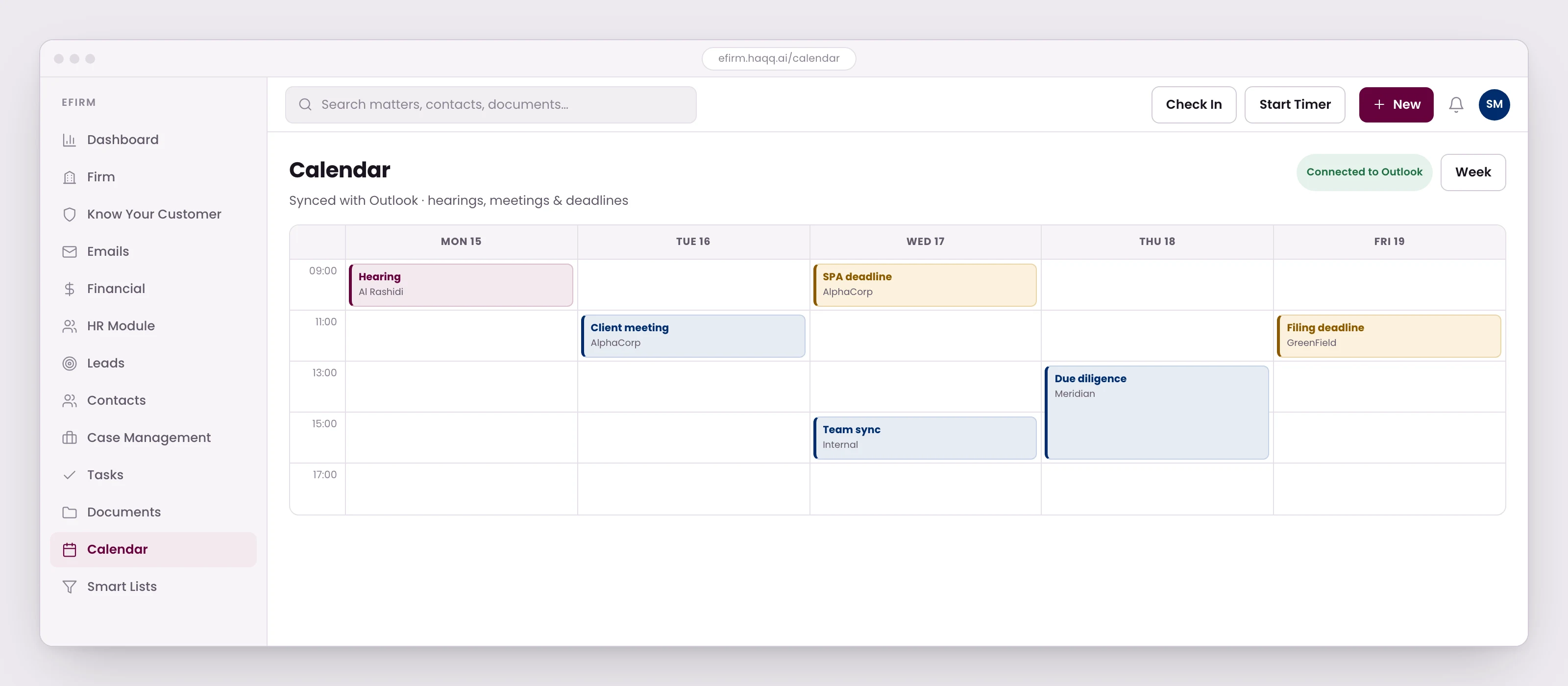
Communication stays where it belongs. Send and receive emails inside eFirm with every message logged to the right client and matter. Outlook calendar sync and internal chat, solo or group and linkable to a matter or a task, mean nothing gets lost.
Permissions & Auditability
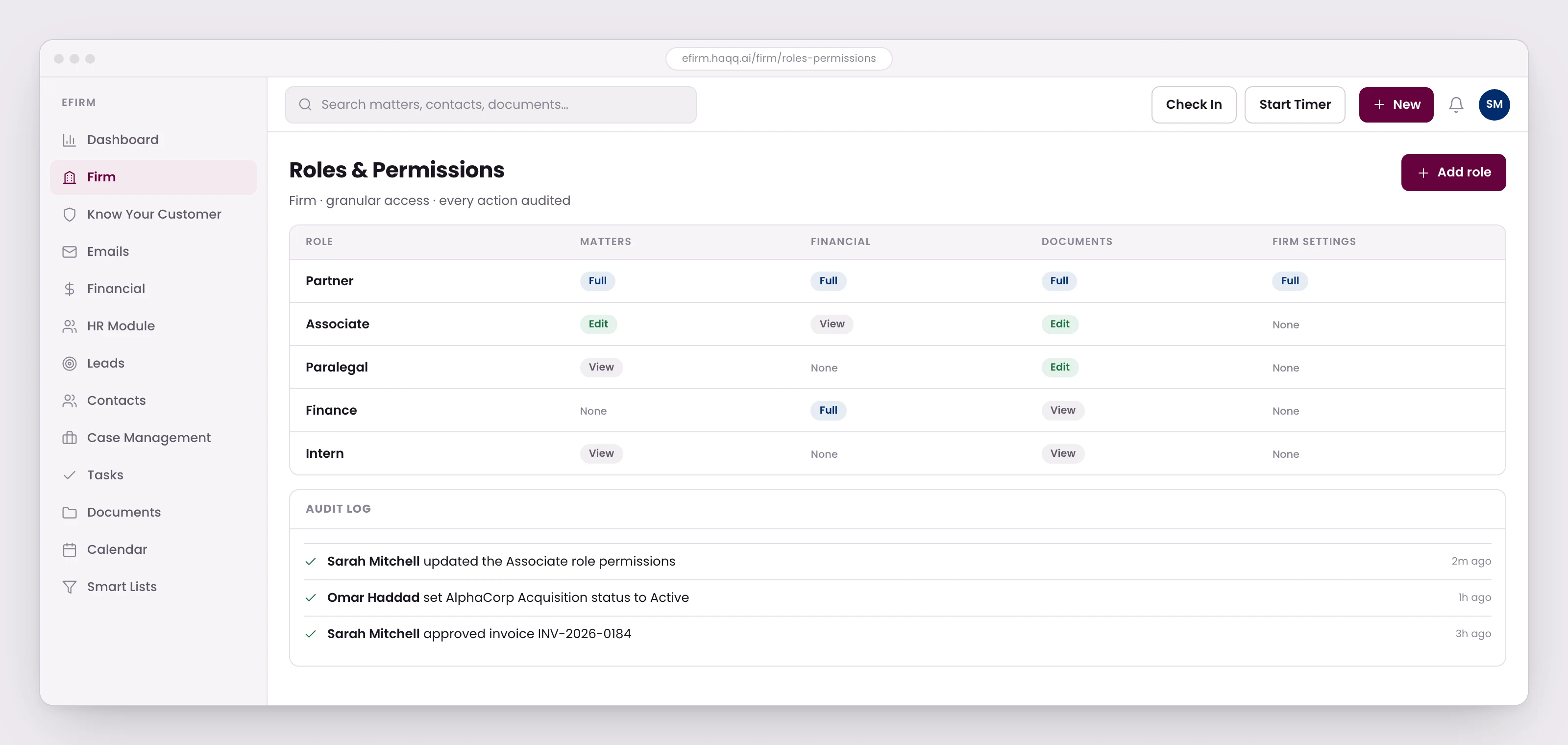
Read, add, update and delete are set per feature, and each right is scoped to everyone, no one, only the records assigned to that user, or inherited from the parent record. A managing partner can match access to the firm's exact hierarchy. Every action is logged, so "who changed this" always has an answer.
What eFirm replaces
One seat instead of eight subscriptions
eFirm collapses four separately-bought categories into one, practice management, double-entry accounting, sanctions screening, and legal AI.

 NetDocuments
 World-Check
 eFirm
eFirm$1,329/mo
what the priceable half of that stack costs a 10-lawyer firm
4 of 8
line items that will not quote you a public price
$600/mo
eFirm Purple, 10 seats, published ($500 on annual billing)
No practice-management vendor screens sanctions in the seat. Clio routes it to third-party apps in its own directory.
Competitor pricing as published, 22 September 2026. Clio publishes only its entry tier.
eFirm and Legal AI together: the full-stack legal OS
Everything syncs into the same operational environment so the firm runs on a single source of truth.
eFirm pricing
Two per-seat plans, for boutique and growing firms. Annual billing saves 17%. Every plan starts with a free trial, and the toggle on the highlighted card compares monthly with annual.
Boutique
Core practice management for boutique firms.
Billed monthly, cancel anytime
3-day trial (monthly) · 5-day trial (annual)
- Matter, task, and litigation management
- Document management + time tracking
- Personalized billing, accounting, reporting
- Standard Legal CRM + lead and contact management
- Microsoft 365 integration + audit log
- 1024 GB per user secure cloud storage
Purple
Everything in Boutique, plus advanced controls for growing firms.
Billed monthly, cancel anytime
5-day trial (monthly) · 7-day trial (annual)
- Client retainer & trust accounts
- Multiple workspaces with localized hosting
- Advanced CRM, KYC + Screening
- Advanced HR + accounting + budgets
- Advanced reporting & analytics
- 4096 GB per user secure cloud storage
Minimum 2 seats per workspace
Honest questions. More honest answers.
Everything partners ask before they sign - written down.
Is eFirm built for solo practices, or only larger firms?
Both. eFirm scales from a single-lawyer practice to Big Law, the matter management, billing, and AI drafting are the same engine, with pricing and workflows that adjust to your firm size.
Can a legal department or an in-house team use eFirm, or is it only for law firms?
Yes. eFirm's sections, stages, and fields are defined per organization, so an in-house team can shape it around its own workflow rather than a law firm's. Expect a configuration pass at the start, the same one any law firm goes through.
Can HAQQ replace Clio or other practice management software?
Yes. eFirm covers what a practice management system is bought for: matters, hearings, time tracking, billing and accounting, document management, CRM and intake, HR and firm administration. Data migration from Clio and other platforms is supported and handled by our onboarding team. HAQQ Legal AI is a separate subscription on the same account, so the AI can work on the firm's own record.
Is HAQQ Legal AI included in an eFirm plan?
No. HAQQ Legal AI Chat is a separate product on its own subscription. eFirm and Legal AI run on the same HAQQ account, so moving between them takes no export and no re-keying, but an eFirm plan does not bundle AI credits. Legal AI is subscribed to separately. Firms that run both get the full-stack legal OS: the twin reasons, eFirm holds the record.
Can I migrate from my current practice management software?
Yes. HAQQ supports data migration from Clio, PracticePanther, MyCase and other platforms. Our onboarding team runs the migration and the configuration pass with you, so you switch without downtime and without losing data.
Which document storage does eFirm connect to?
Microsoft SharePoint, and it is the only document-storage integration eFirm offers today. Linking SharePoint lets a Word file open and be edited in place from inside eFirm: it saves back to both systems, and version history and track changes stay visible. Without a SharePoint connection, files live in eFirm's own storage and are downloaded, edited, and re-uploaded like any other file.
Does eFirm offer a free trial?
Yes. Trial length depends on the plan and billing cycle: Boutique gives 3 days on monthly billing and 5 days on annual. Purple gives 5 days on monthly and 7 days on annual. Pick a plan below to start.
Does HAQQ include trust accounting?
Yes. HAQQ eFirm includes trust and IOLTA accounting with full compliance tracking, automated reconciliation, and jurisdiction-specific reporting. Your client funds stay separate and fully auditable.
Does eFirm support client intake and screening?
Yes. eFirm lets each firm build its own KYC intake templates, covering personal details, required files, and any information needed before opening a matter, and send them directly to the client to fill in. eFirm also offers optional Screening, which checks a contact against the OpenSanctions watchlist.
Does eFirm include a client portal?
No. Clients do not log into eFirm. Matters, documents, and invoices are produced inside eFirm and shared with the client through whatever channel your firm already uses. An earlier version of eFirm had a client portal, and it was withdrawn; there is no date for bringing it back.
Can a hearing exist without a matter?
No. A hearing is always created under a legal matter. That link is what keeps the court file, the deadlines, and the billing attached to the same record.
How granular are eFirm's permissions?
Permissions are set per feature, with separate read, add, update, and delete rights for each one. Each right can be scoped to everyone, no one, only records assigned to that user, or inherited from a parent record, so a managing partner can match access to the firm's exact hierarchy.
Is eFirm available on mobile?
eFirm itself does not have a dedicated mobile app. It is built for the desktop workflows of matter management, billing, and time tracking. HAQQ Legal AI Chat, which runs on the same account and matter data, is available on iOS and Android, so you can draft and research from your phone even when eFirm's full interface stays desktop-only.
Does eFirm offer a dedicated SLA and data residency for enterprise firms?
Yes. Enterprise plans include a discrete SLA with guaranteed uptime targets, a dedicated success manager, and regional data residency (EU, US, or Middle East). HAQQ is compliant with SOC 2, ISO 27001, ISO 42001 and GDPR (not certified), and DPAs are available on request.
How much time or cost can my firm expect to save with eFirm?
It depends on firm size and how much of your workflow is still manual, solo, boutique, and enterprise firms see different efficiency and cost gains in our ROI model. Use the free ROI calculator to get an estimate based on your own team size and billable rate.